

Summary
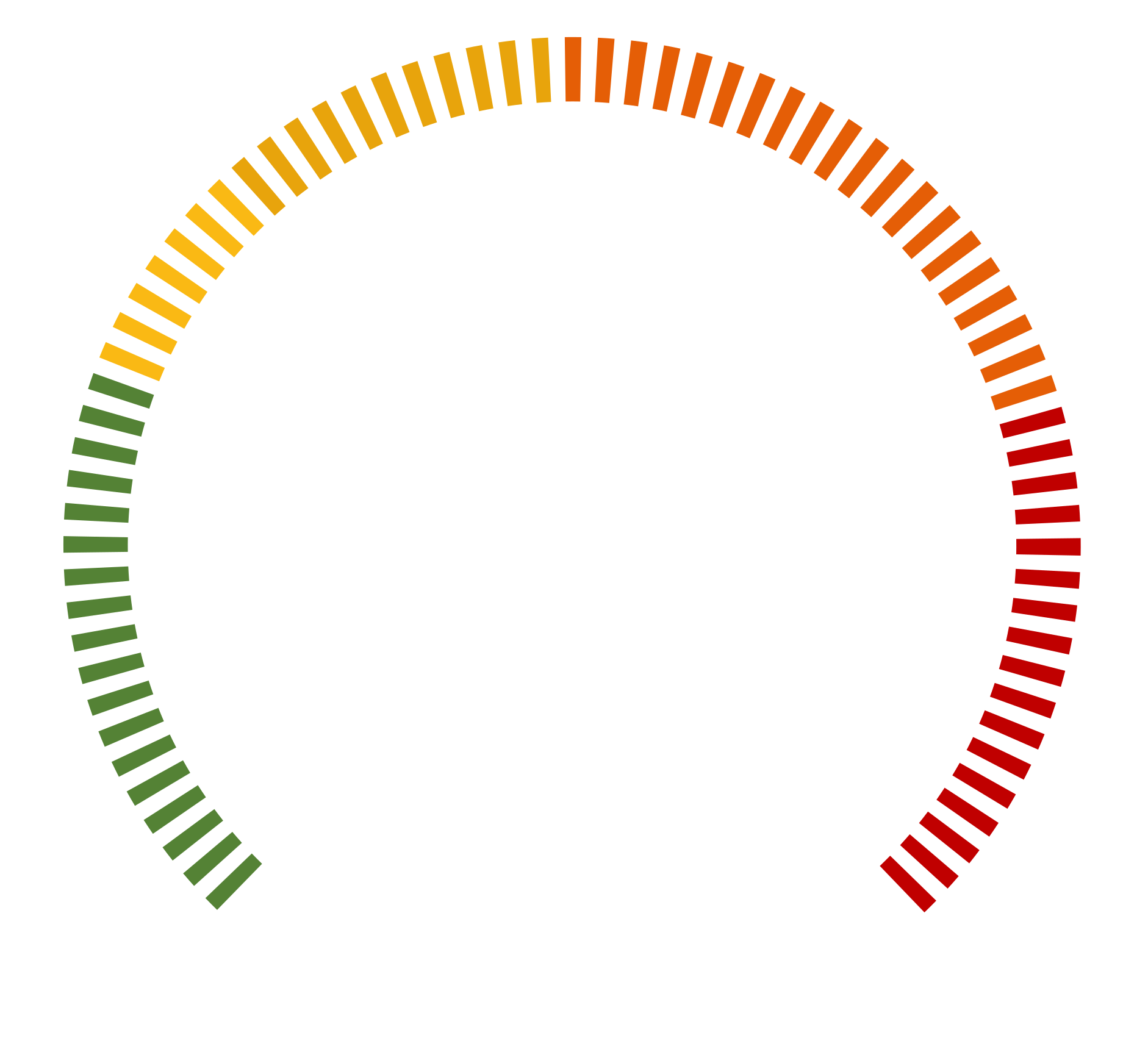
CVE-2026-27944 affects Nginx UI versions prior to 2.3.3, where an unauthenticated /api/backup endpoint allows attackers to retrieve full system backups without authorization. The application further exposes encryption keys and initialization data through the X-Backup-Security HTTP response header, enabling immediate decryption of the downloaded backups. This results in exposure of sensitive information, including user credentials, session tokens, SSL private keys, and configuration files, and is fixed in version 2.3.3.
Urgent Actions Required
- Upgrade Nginx UI to 2.3.3 or later
- Restrict /api/backup to trusted, authenticated users
- Avoid exposing Nginx UI on untrusted networks
- Check logs for unauthenticated /api/backup access
- Rotate credentials, sessions, and SSL keys if exposed
Which Systems Are Vulnerable to CVE-2026-27944?
Technical Overview
-
Vulnerability Type:
Unauthenticated backup exposure with encryption key disclosure (Missing Authentication for Critical Function + Sensitive data exposure) - Affected Software/Versions: Nginx UI versions prior to 2.3.3
- Attack Vector: Network (HTTP)
-
CVSS Vector: v3.1
- Attack Vector: Network
- Attack Complexity: Low
- Privileges Required: None
- User Interaction: None
- Scope: Unchanged
- Confidentiality Impact: High
- Integrity Impact: High
- Availability Impact: High
- Patch Availability: Yes, available
How Does the CVE-2026-27944 Exploit Work?
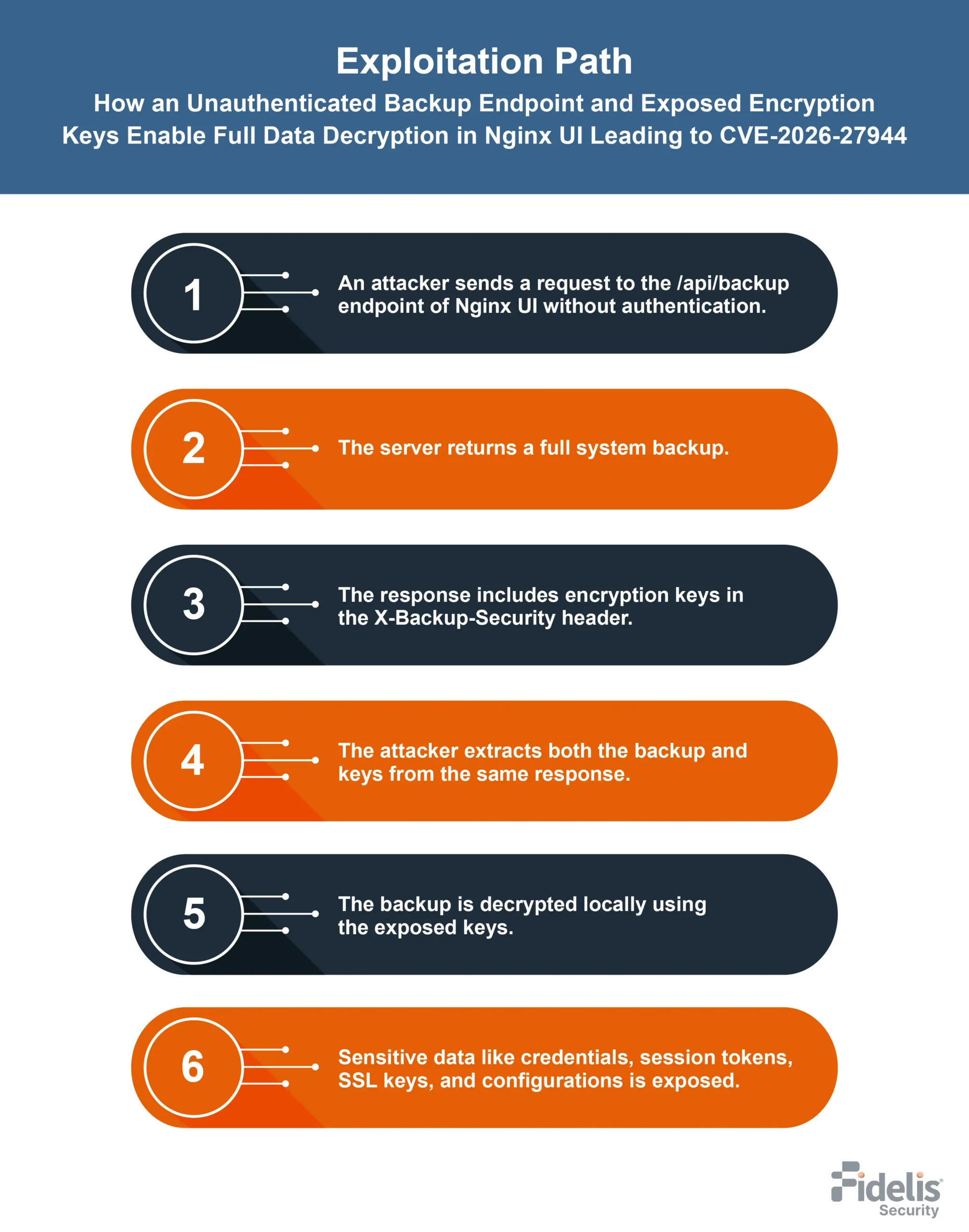
The attack typically follows these steps:
What Causes CVE-2026-27944?
Vulnerability Root Cause:
This Nginx UI vulnerability is caused by missing authentication on /api/backup, allowing unauthenticated backup downloads. It also exposes AES keys and IV in the X-Backup-Security header. Together, this allows easy decryption of backups and exposure of sensitive data.
How Can You Mitigate CVE-2026-27944?
If immediate patching is delayed or not possible:
- Restrict access to the /api/backup endpoint so it is only reachable from trusted or internal networks.
- Block public exposure of the Nginx UI management interface.
- Apply firewall rules to prevent unauthenticated access to backup-related API routes.
- Monitor access logs for unexpected or repeated requests to /api/backup.
- Disable or remove access to backup functionality until version 2.3.3 can be deployed.
Which Assets and Systems Are at Risk?
-
Asset Types Affected:
- Web-based management deployments of Nginx UI versions prior to 2.3.3
- Systems exposing the /api/backup endpoint without authentication control
- Backup management implementations handling encrypted system archives
- Environments where Nginx configuration and administrative operations are managed through Nginx UI
-
Business-Critical Systems at Risk:
- Administrative management interfaces exposed through Nginx UI, risking full backup disclosure
- Infrastructure setups where backups contain credentials, session tokens, and configuration data
- Systems managing SSL certificates and private keys through Nginx UI backups
- Environments where database and application configuration files are included in backup archives
-
Exposure Level:
- Internet-exposed Nginx UI instances with unrestricted access to /api/backup
- Internal deployments lacking authentication enforcement on backup endpoints
- Systems where management interfaces are not network-restricted or access-controlled
- Any deployment of Nginx UI prior to version 2.3.3 with exposed backup functionality
Will Patching CVE-2026-27944 Cause Downtime?
Patch application impact: Low. Upgrading Nginx UI to version 2.3.3 fixes the issue and usually requires a simple update and restart, causing minimal downtime.
Mitigation (if immediate patching is not possible): Limit access to the Nginx UI interface and block /api/backup. These steps reduce exposure but do not fully remove the risk until upgrading.
How Can You Detect CVE-2026-27944 Exploitation?
Exploitation Signatures:
Monitor HTTP requests targeting /api/backup without authentication on Nginx UI. Successful responses returning a backup file along with the X-Backup-Security header (containing encryption key and IV) indicate potential exploitation.
MITRE ATT&CK Mapping:
- T1190 - Exploit Public-Facing Application
- T1552 - Unsecured Credentials
- T1078 - Valid Accounts
Indicators of Compromise (IOCs/IOAs):
- Access to /api/backup without authentication
- Presence of X-Backup-Security header in responses
- Unexpected or repeated backup downloads
- Exposure of encrypted backup files from unknown sources
Behavioral Indicators:
- Backup endpoint accessible without authentication checks
- Encryption key and IV returned in HTTP response headers
- Full system backup accessible via a single request
- Sensitive data (credentials, session tokens, SSL keys, configurations) found in decrypted backups
Alerting Strategy:
- Priority: Critical
-
Trigger alerts for:
- Any unauthenticated request to /api/backup on the Nginx UI
- Detection of X-Backup-Security header in responses
- Repeated or abnormal backup download activity
- Large backup transfers without authenticated sessions
Remediation & Response
-
Remediation Timeline:
- Immediate: Upgrade Nginx UI to version 2.3.3 to remove unauthenticated access and stop encryption key exposure.
- Within 24 hours: Verify no systems are running versions earlier than 2.3.3.
- Ongoing: Review access logs for any requests to /api/backup without authentication.
-
Rollback Plan:
- If issues occur after the upgrade, revert to the previous stable version of Nginx UI.
- Reapply network restrictions to block access to /api/backup until stability is restored.
- Document rollback actions, including version details and time of change.
-
Incident Response Considerations:
- Isolate affected instances of Nginx UI exposed to /api/backup access.
- Review logs for unauthorized requests to the backup endpoint.
- Investigate whether backups were downloaded without authentication.
- Check for exposed credentials, session tokens, SSL keys, and configs.
- Ensure all systems are updated to 2.3.3 and backup access is secured.
Compliance & Governance Notes
-
Audit Trail Requirement:
- Log all requests to /api/backup, including timestamp, source IP, and request outcome.
- Record occurrences where the X-Backup-Security header is present in responses.
- Maintain logs of backup access attempts, especially unauthenticated requests.
- Retain system logs for investigation of any backup download activity.
-
Policy Alignment:
- Enforce authentication for all backup-related endpoints in Nginx UI.
- Restrict access to administrative and backup APIs to authorized users only.
- Ensure sensitive backup data is not exposed without access control.
- Review logging and monitoring policies to detect unauthorized backup access attempts.
See How Fidelis Insight™ Unifies Threat Intelligence to Stop Attacks Early
- Real-time visibility across the network, endpoint, and sandbox
- Advanced intelligence to identify threats faster
- Automated detection and response in one platform
- Proactive defense for enterprise environments
CVSS Breakdown Table
| Metric | Value | Description |
|---|---|---|
| Base Score | 9.8 | Critical severity indicating full system compromise risk through backup exposure and key disclosure |
| Attack Vector | Network | Exploitable remotely via HTTP request to /api/backup |
| Attack Complexity | Low | Requires only a simple unauthenticated request |
| Privileges Required | None | No authentication or privileges needed |
| User Interaction | None | No user interaction required |
| Scope | Unchanged | Impact remains within the affected system component |
| Confidentiality Impact | High | Full exposure of backups, including credentials, session tokens, SSL keys, and configuration data |
| Integrity Impact | High | xposure of sensitive configuration data can enable unauthorized system-level changes |
| Availability Impact | High | Compromise of system configuration and credentials can lead to full service disruption |
References: